

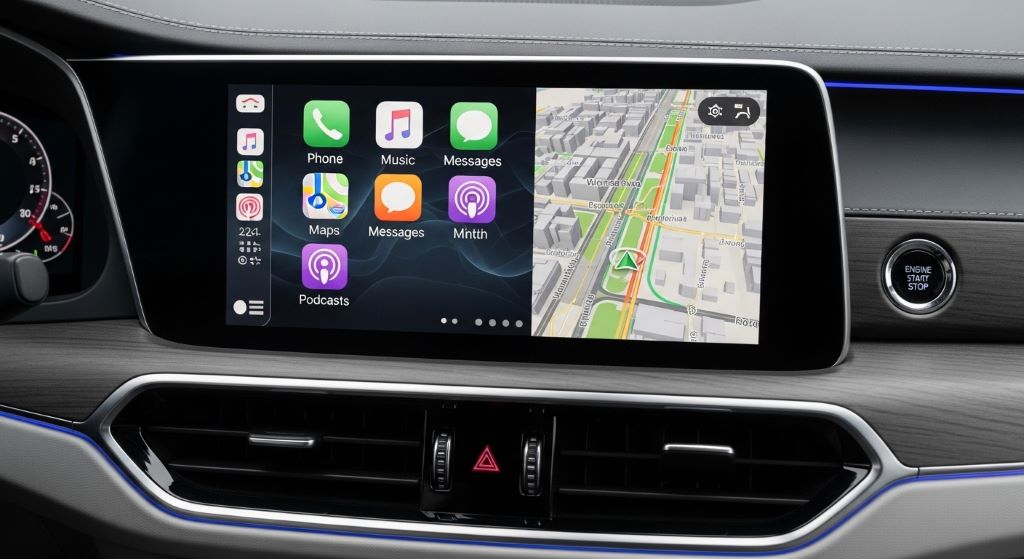
Cars are lasting longer than ever. The average vehicle on the road today is over 12 years old. That means your car’s infotainment system needs to keep up with fast-changing technology for a long time. However, most factory-installed systems fall behind within just a few years. Apps stop updating. Bluetooth versions become outdated. Screens grow slow.
The good news is that you can take smart steps now to make your setup last much longer. This guide will walk you through practical strategies to keep your car connected, useful, and enjoyable for years to come.
Understanding Why Infotainment Systems Become Outdated
Before you future-proof anything, it helps to understand why these systems age so quickly.
Car manufacturers design infotainment systems years before a vehicle reaches dealerships. By the time you drive it home, the software is already behind. Additionally, automakers rarely invest in deep long-term software support. Most systems receive only a handful of updates before being dropped entirely.
The core problem is that car technology moves slowly, while smartphone technology moves very fast. Therefore, the gap between your phone and your dashboard keeps growing every year. Features like Apple CarPlay, Android Auto, voice assistants, and app integration are now expected by most drivers. If your system cannot support them, your driving experience suffers.
Choose Hardware That Supports Wireless Protocols
One of the best decisions you can make is choosing hardware built around wireless standards rather than proprietary ones.
When shopping for a head unit or infotainment upgrade, look for these features:
- Wireless Apple CarPlay and Android Auto support
- Bluetooth 5.0 or higher
- Wi-Fi connectivity (802.11ac or Wi-Fi 6)
- USB-C ports in addition to USB-A
- Over-the-air (OTA) update capability
Wireless CarPlay and Android Auto are particularly important. These technologies effectively turn your phone into the brain of your infotainment system. As your phone updates, your car’s interface updates too. Therefore, you are not dependent on the automaker to push new features.
Additionally, prioritise head units from brands with a strong history of firmware support. Pioneer, Kenwood, and Sony have all released multi-year update cycles for their aftermarket units. This gives you a much longer useful life compared to factory systems.
Upgrade Your Head Unit Strategically
If your car came with a dated factory system, upgrading the head unit is often the single most impactful change you can make.
Modern double-DIN aftermarket units offer remarkable value. Many include large touchscreens, built-in navigation, voice control, and multi-source audio management. However, not every car accepts a standard DIN unit. Some vehicles use proprietary dash configurations. In those cases, you may need a custom adapter kit or a brand-specific replacement unit.
Before purchasing, research whether your vehicle retains full steering wheel control integration after the swap. Most quality aftermarket units support CANBUS integration, which preserves these controls. Losing steering wheel buttons is a frustrating trade-off that is easy to avoid with the right adapter.
Furthermore, consider units that run on Android Automotive OS or similar open platforms. These systems allow direct app installation, which means your car’s interface can grow alongside the app market over time.
Build a Smartphone-First Setup
The smartest long-term strategy may be to rely on your smartphone as the primary computing device and use your car’s system mainly as a display and input layer.
This approach works remarkably well. Your phone receives regular updates. It runs the latest navigation apps, music streaming services, and communication tools. When you connect it to your car via CarPlay or Android Auto, those experiences come with it.
However, to make this work reliably, a few things matter. First, your phone mount or dock should be stable and ideally positioned at eye level. Second, your connection method needs to be fast and reliable. Wireless connections are more convenient, but wired connections via USB-C are typically faster and more stable.
Additionally, keep a high-quality USB-C or Lightning cable in the car at all times. Even if you prefer wireless, a backup cable is essential.
Add a 4G or 5G In-Car Hotspot
Connectivity is becoming as important as the radio once was. Many newer vehicles offer built-in 4G hotspots, but aftermarket options are widely available too.
A dedicated in-car hotspot router, such as those offered by Netgear or GL.iNet, can provide fast, reliable internet access for all passengers. This is especially valuable if you spend long periods on the road or if your passengers rely on streaming services.
Moreover, 5G connectivity is now rolling out in many urban and suburban areas. Choosing a hotspot device that supports 5G will give you longer relevance as networks expand. Look for models that support multiple bands, including sub-6GHz and mmWave where available.
Having reliable in-car internet also opens up cloud-based navigation, real-time traffic data, and over-the-air software updates for any connected devices in the vehicle.
Plan for OTA Software Updates
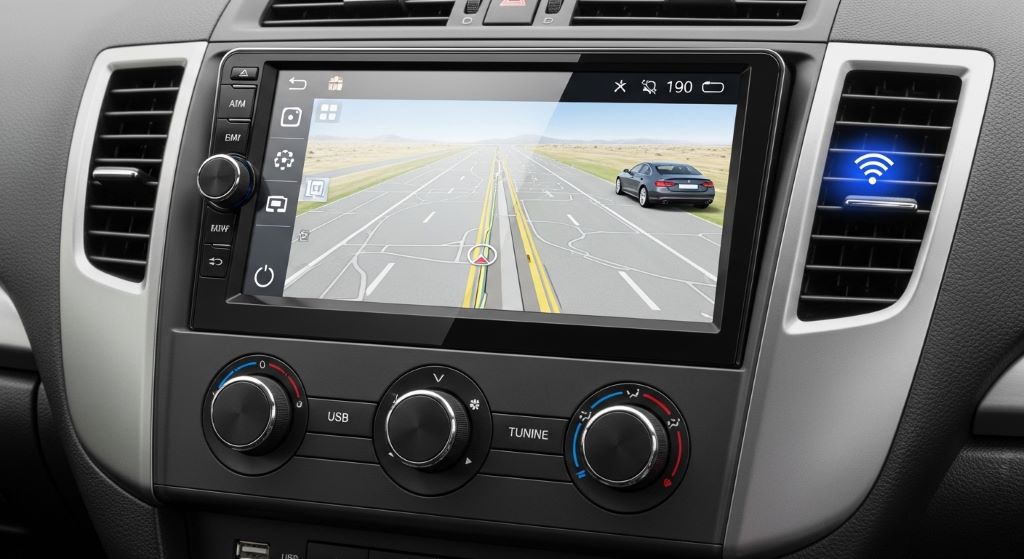
Over-the-air update capability is no longer a luxury. It is a necessity for any system that aims to remain current over time.
Tesla popularised OTA updates in the automotive world, but many brands now offer them. When evaluating any infotainment upgrade, ask directly whether the manufacturer pushes updates over Wi-Fi. A system that can be updated remotely will always outlast one that requires a dealer visit or manual firmware installation.
For aftermarket head units, check the manufacturer’s update history. How frequently have they released updates in the past two to three years? A consistent update cadence is a strong sign they will continue supporting the product.
Additionally, keep your system’s software updated whenever new versions arrive. Updates often include security patches, new app compatibility, and performance improvements that can meaningfully extend the life of your hardware.
Invest in Quality Audio Hardware That Lasts
Infotainment is not only about screens and software. Audio quality matters deeply to many drivers, and good speakers and amplifiers can outlast several generations of screen technology.
When upgrading audio hardware, focus on components with simple, standard connections. Avoid proprietary amplifiers that lock you into a single ecosystem. Instead, choose amplifiers and speakers that use standard RCA inputs and adjustable crossovers. These will remain compatible with almost any future head unit you install.
Furthermore, subwoofers and door speakers rarely become obsolete. A quality set of components installed today can pair with different head units for a decade or more. Therefore, investing in audio hardware is one of the safest long-term upgrades you can make.
Use a Modular Approach to Connectivity Accessories
One practical strategy that many experienced drivers use is building a modular accessory setup.
Rather than integrating everything permanently into the dash, modular setups use removable components that can be swapped as technology changes. For example:
- A magnetic phone mount with wireless charging that can be upgraded when faster standards arrive
- A portable OBD-II reader that pairs with updated apps on your phone
- A dashcam with a removable memory card and replaceable firmware
- A Bluetooth audio adapter for older vehicles that can be replaced cheaply
This approach keeps your investment low per component. When one part becomes outdated, you replace only that piece rather than the entire setup.
Protect Your Investment with Proper Installation
Even the best hardware will fail early if it is installed poorly. Heat, vibration, and moisture are the main enemies of in-car electronics.
Always use automotive-grade wiring harnesses and connectors. Consumer-grade electrical tape degrades quickly in the heat of a car cabin. Additionally, make sure all components are mounted securely with no loose wiring that can vibrate against metal panels. Rattles and shorts often start with poor cable management.
If you are not comfortable with electrical work, professional installation from a reputable car audio shop is worth every penny. A proper installation done once will outlast a rushed DIY job by years.
Furthermore, use thermal paste or heat shields where applicable around amplifiers or power-hungry components. Heat is the number one cause of premature failure in car electronics.
Stay Informed About Emerging Standards
Technology standards in the automotive world are shifting. Staying aware of what is coming allows you to make smarter purchases now.
Ultra-Wideband (UWB) technology is being built into more vehicles for precise location-based features and digital car keys. Wi-Fi 6E and eventually Wi-Fi 7 will improve wireless connectivity speeds significantly. Additionally, the USB-C standard is consolidating across devices, making multi-device charging simpler.
Following automotive technology news sources and manufacturer announcements takes only a few minutes per week. However, it can save you from buying hardware that will be obsolete in just a year or two.
Conclusion
Future-proofing your car infotainment and connectivity setup is not about chasing every new gadget. It is about making thoughtful choices that will keep your vehicle useful, connected, and enjoyable for as long as possible.
Start by understanding why systems age quickly. Then choose hardware built on open standards, support wireless connectivity, and build a smartphone-first approach. Add reliable in-car internet, plan for software updates, and use a modular accessory strategy. Protect your investment with proper installation and stay informed about what is coming next.
Together, these steps will help you stay ahead of the technology curve without constantly spending large amounts of money. Your car will feel current and capable long after others on the road are struggling with outdated systems.
Frequently Asked Questions
How long does a typical factory infotainment system stay current?
Most factory systems receive meaningful software support for three to five years after a vehicle’s launch date. After that, updates become infrequent or stop entirely. However, the hardware can continue to function for much longer with third-party accessories added around it.
Is wireless Apple CarPlay better than wired?
Wireless CarPlay is more convenient since there are no cables to plug in. However, wired connections via USB-C are generally faster and more stable, especially for navigation apps that require constant data. If your head unit supports both, using a wire for longer trips is a good habit.
Can I add Apple CarPlay or Android Auto to an older car?
Yes. Most vehicles from the mid-2000s onwards can accept an aftermarket double-DIN head unit that supports CarPlay and Android Auto. Some older vehicles with unique dash shapes may need a custom fascia adapter, but these are widely available from brands like Metra and Scosche.
What is the most future-proof in-car operating system?
Android Automotive OS is widely considered the most open and future-proof option available today. It allows direct app installation from the Google Play Store and receives regular updates from Google. Several manufacturers, including Volvo, Polestar, and Renault, now use it as their primary infotainment platform.
How often should I update my infotainment software?
Check for updates every three to six months. Most manufacturers notify you through their companion app or website. Keeping software current ensures you have the latest security patches, bug fixes, and compatibility improvements, which directly affects how well your system performs over time.
Related Topics:
What Are the Technological Innovation in the Automotive Industry?
What Are the New Technologies in Modern Cars?

